

Full-Stack Web Application Development: Beginner's Guide
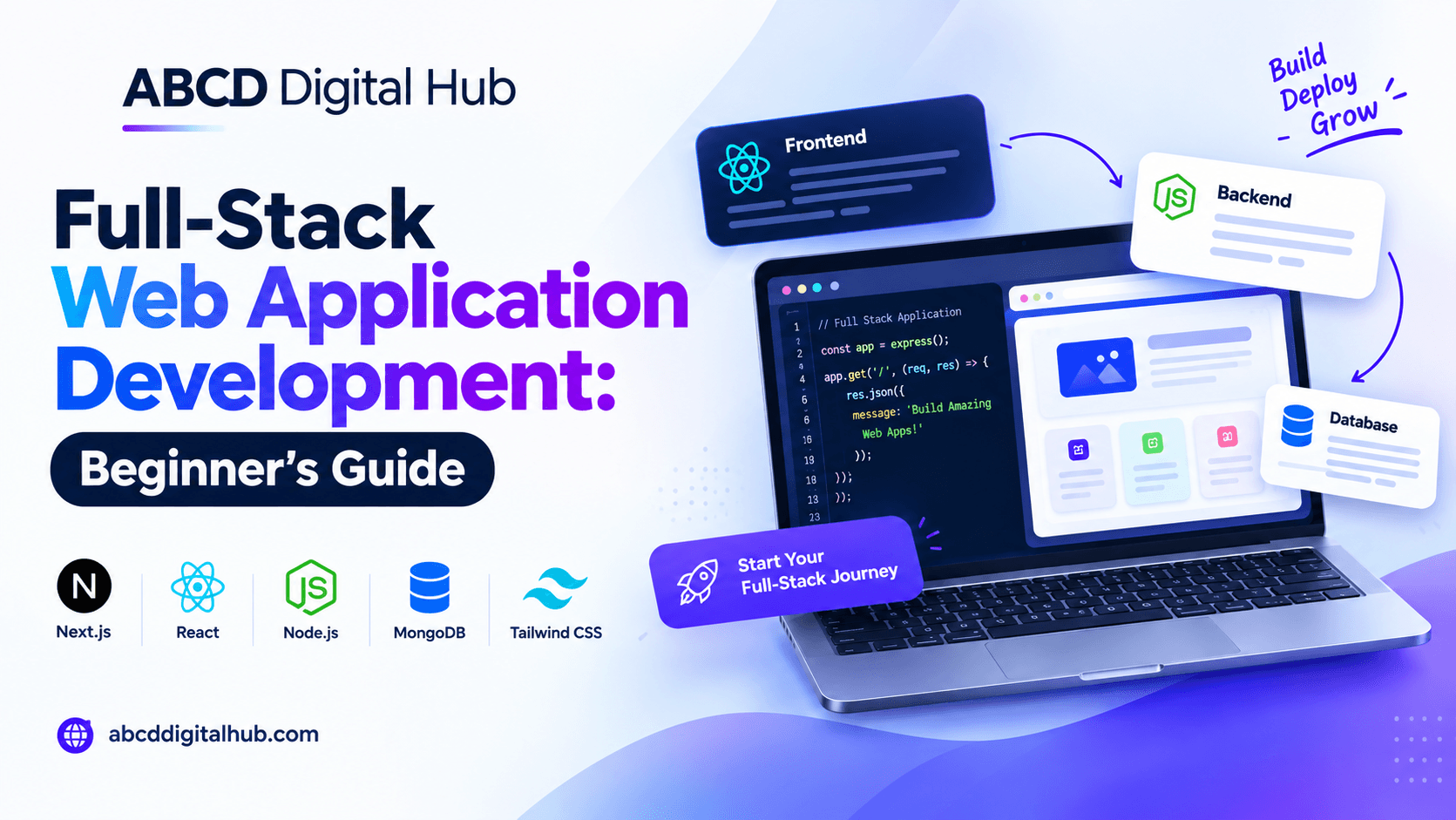
A full-stack web application has a user-facing interface, server-side logic, and stored data connected to support its features. In a task app, you can add a task on screen, the server checks and processes the request, and a database saves it. When you return, the application can show the saved task again.
Full-Stack Web Application Development
You sign in to a web app, change a setting, and see the update saved; Full-Stack Web Application Development connects that experience to the services behind it. If the interface looks clear but the change disappears, the application has not done its job.
A useful web app needs an experience people can use and behind-the-scenes services that make its features work. Learning how those parts connect helps you solve problems that cross the interface, data, and server. You can learn each part in sequence, without mastering every tool at once.

Good user experience depends on more than screen design. Requirements, communication, and teamwork help turn a user's goal into a feature that saves the right change. You will get a practical explanation of an application's parts and how they work together, starting with what full-stack development means.
Key Takeaways
- A web app connects a usable interface with services and stored data.
- Full-stack work spans browser-facing and server-side tasks.
- You can learn one layer at a time and build a small project.
- Choose tools to fit your project, not just their popularity.
- Testing and feedback help you improve a working application.
What Is Full-Stack Web Application Development?
Full-stack development covers both the front end and back end of a web application. A stack is a set of compatible technologies and tools used together to build and run an application.
Full-stack work connects the user interface to server-side logic and stored data. The front end is the browser-facing part of an application. The back end is the server-side part, where application rules and data operations run.
Full-stack work connects the interface, server-side logic, and stored data, rather than stopping at one layer.
A web application lets users interact with changing data or functions. A task app, for example, lets someone create and update tasks. A mostly static web page may show information without letting visitors change it or use interactive features.
Working across the stack does not mean using every available programming language. It means understanding enough of each part to build, connect, and troubleshoot application features. A full-stack developer may specialize more deeply in one area while still handling work elsewhere.
That scope makes the role useful on projects where one feature crosses several parts of the system. A developer might build a form, connect it to server logic, and make sure its data is stored. Those parts must exchange information reliably, which leads to how the layers fit together.
How Do the Front End, Back End, and Database Connect?
A user clicks Save, and the application must carry that change from the browser to persistent storage and back. Each layer has a distinct job in that round trip.
The browser can check for simple mistakes, but the server must also validate and protect submitted data. The full exchange uses an API, an interface that lets software components communicate through agreed requests and data formats.
What happens in the browser
Imagine that you change the name on your profile and select Save. The front end reads the form, checks that the name field is not empty, and sends an HTTP request to the server.
That browser-side check can prevent a frustrating error message after submission. It improves user experience, but it is not a security boundary. Someone can send a request without using the page, so the server must check the input independently.
What the server and database handle
The server receives the request and applies the application's rules. It can confirm that you are signed in, check that you may edit this profile, and validate the new name. These checks are separate: authentication identifies you, while authorization controls what you may change.
If the request passes, the server asks the database to update the stored profile. A database keeps information beyond the browser session, so the change can still appear after you sign in again.
The server then returns a response, such as success or a useful error. The front end uses that result to update the interface, perhaps showing the new name or explaining what needs fixing. APIs define how these components exchange requests and data. The jobs are clearer now; the next question is which technologies can do them.
Which Technologies Make Up a Full Stack?
A beginner can understand a stack more easily by matching each tool to the layer it serves. Different tools handle page structure, application logic, and stored records.
These examples are options, not a checklist every beginner must learn. Choose based on project needs and the knowledge you already have.
| Layer | What it does | Examples |
|---|---|---|
| Front end | Structures, styles, and adds browser behavior | HTML, CSS, JavaScript |
| Server side | Runs application logic and APIs | Node.js, Python, Ruby, PHP, Java |
| Relational database | Stores structured records in tables | MySQL, PostgreSQL |
| NoSQL database | Stores data in flexible document structures | MongoDB |
Front-end languages and frameworks
HTML structures page content, such as a heading, form, or button. CSS styles that content, controlling layout, color, and spacing. JavaScript adds browser interactivity, such as opening a menu or checking a form before submission.
Front-end frameworks provide patterns and reusable parts for building larger interfaces. React, Angular, and Vue.js are common options. They can help organize an application, but you still need to understand the HTML, CSS, and JavaScript underneath.
Server-side languages and frameworks
Server-side software handles application logic and APIs. Node.js lets developers run JavaScript on the server. Python, Ruby, PHP, and Java are other common language options for building server-side applications.
The best fit depends on the job the software must do and the skills available to maintain it. A familiar language can make a first project easier to finish, while a team's existing tools may guide a workplace project.
Relational and NoSQL databases
Relational databases such as MySQL and PostgreSQL organize structured records in tables. A task, for example, might have a row with a title, due date, and completion status.
MongoDB is a NoSQL database that stores data in flexible document structures. That flexibility can fit data that does not follow one fixed table shape. Once the layers and tools are clear, consider how a project moves from its first requirements to a running application.
How Does a Full-Stack Web App Go From Idea to Launch?
A task-tracking app begins with deciding what users need to create, update, and find. Clear requirements help prevent a team from building features nobody asked for.
A project moves from user needs through design, implementation, testing, and ongoing care. The work is not a straight line; testing often reveals changes the team should make.
Plan requirements and design
Start by asking who will use the app and what they need to accomplish. For a task tracker, users may need to add a task, mark it complete, and find an unfinished item. Sketching user flows shows the screens and choices involved.
Turn those needs into a small first release. A simple flow might move from a task list to an entry form and back to the updated list. Early design work helps clarify labels, navigation, and what information each screen needs.
Build the user-facing features
Build responsive interface components that work on different screen sizes. Make buttons and form fields usable with a keyboard, and label them clearly for assistive technology. Accessibility belongs in the design from the start, not as a last-minute visual adjustment.
Connect each screen to the action it represents. A form should show whether a task was saved, and the list should reflect the change. Those details help users understand what the application has done.
Implement server logic and data storage
Server logic applies the rules behind each action. APIs carry requests between the interface and server. The application needs a database to store tasks, plus validation to reject missing or malformed information.
Authentication confirms a user's identity. Authorization checks which tasks that user may view or change. These controls matter even in a small project: a user should not be able to edit another person's task by changing a request.
Integrate both sides so the interface sends the right data and handles the server's response. Test the connection with ordinary actions and likely errors, such as an empty task title or a failed request.
Test, deploy, and maintain
Testing checks parts of the application at different levels. Start early: writing tests can expose requirements that are unclear, such as whether completed tasks should stay visible. Use a checklist that covers more than one kind of test:
- Unit tests check individual functions.
- Integration tests check connected components.
- End-to-end tests check complete user flows.
- Browser and device checks cover layout and behavior.
A passing test suite does not prove an application is secure or suitable for every real-world case. Review permissions and failure states, then deploy the app to a hosting environment where users can access it.
After launch, monitor for errors and slow responses. Fix issues as they appear, update dependencies, and adjust features as users' needs change. This work relies on people making decisions across several areas, which leads to the skills needed to do it well.
What Skills Does a Full-Stack Developer Use Day to Day?
A bug that appears on screen may come from the interface, the server, stored data, or the connection between them. Finding the cause calls for more than reading one file.
A full-stack developer needs enough range to trace a problem across boundaries. That does not mean every developer has equal depth in every area or knows every framework.
Technical skills across the stack
Reading and writing code helps you understand how a feature behaves and where it may fail. Basic UI and user experience knowledge helps you spot confusing labels, awkward flows, and missing feedback before they frustrate users.
You also need to work with data and APIs, test changes, and debug issues that cross the browser and server. A form that displays the wrong date might have a display bug, a server rule, or a data-format problem.
Performance matters, too. A slow page may result from large assets, inefficient server work, or a database query that takes too long. A developer should be able to investigate the likely cause before changing code at random.
Communication and problem-solving skills
Clarifying requirements saves time. Ask what a feature should do when information is missing, a user lacks permission, or a request fails. A short written decision can prevent designers and developers from making different assumptions.
Good communication also means explaining tradeoffs to designers and other developers. For example, a quicker interface change may help one screen but make a shared component harder to maintain. Describe the effect in plain terms and agree on the priority.
A full-stack developer can be stronger in one layer and still contribute across the application. You can choose a starting stack that fits the project you want to build and the skills you already have.
How Should Beginners Choose a Technology Stack?
A stack is a practical choice of compatible tools, not a measure of a developer's ability. Fit matters more than choosing a popular name.
Choose tools that match the project, offer useful learning materials, and let you finish a small app. A stack that looks impressive but stalls your progress is a poor first choice.

Match the stack to the project
Different projects put different demands on a system. A simple portfolio site needs less data handling than a service with accounts and shared records. Think about the features, the people who will maintain them, and how much you need to learn.
| Stack | Front end | Back end | Database |
|---|---|---|---|
| MEAN | Angular | Node.js and Express | MongoDB |
| MERN | React | Node.js and Express | MongoDB |
| LAMP | HTML, CSS, and JavaScript | PHP with Apache on Linux | MySQL |
| Ruby on Rails | HTML, CSS, and JavaScript | Ruby on Rails | SQLite |
MEAN and MERN use JavaScript across much of the application. LAMP and Rails are established alternatives with different tools and conventions. None is the right choice for every project or every learner.
Start with one coherent learning path
Compare a few options using three practical questions: Do they suit your project's requirements? Can you find clear, current learning materials? Can you use the set to build and finish a small app?
Available tools matter, too. A developer joining an existing team may need to learn its system rather than introduce a new one. For personal practice, a familiar language can reduce setup work and leave more time for understanding application behavior.
Keep your first choice manageable. You can learn additional tools when a project calls for them, instead of switching whenever a new framework gets attention. After choosing a stack, consider whether one person should cover it all or work alongside specialists.
When Does Full-Stack Development Help, and When Can It Hurt?
A solo developer can often connect a small feature's interface and data flow without waiting on multiple handoffs. That can save time when a prototype needs quick changes.
Full-stack coverage helps with coordination, but one person cannot provide unlimited depth or availability. Complex software may need specialists, and a project can become vulnerable if only one person understands a key part.
Where a generalist can help
One developer working across both sides can prototype a feature, follow a bug through the system, and make related changes with fewer handoffs. That can suit a small or medium project with a limited team and a clear scope.
Cross-layer knowledge can also improve communication. A developer who understands both the interface and the server can explain where a request fails and help coordinate a fix.
Where specialization reduces risk
Large or demanding applications may need deeper expertise in areas such as performance, security, or interface accessibility. Asking one person to cover every specialty can slow delivery or leave important details unchecked.
A single point of knowledge creates key-person risk. If that person is unavailable, other team members may struggle to maintain a critical service. Team management should make ownership and documentation clear.
| Team setup | Useful when | Main tradeoff |
|---|---|---|
| One full-stack developer | A small prototype needs connected front- and back-end work | Breadth may limit depth |
| Front-end and back-end specialists | The application needs focused expertise in both layers | More coordination is needed |
| A mixed team with full-stack coverage | Work shifts between integration and specialist tasks | Responsibilities need clear ownership |
Use this checklist when choosing a team setup:
- Project complexity
- Required depth of expertise
- Availability of team members
- Continuity if one person is unavailable
The right balance depends on the work, not a job title alone. A small product may start with one generalist and add specialists as needs grow. That team decision points to practical steps you can take as a beginner.
How Can You Start Learning Full-Stack Development?
A beginner can make progress by finishing one small, complete application before collecting more frameworks. A finished project gives you something concrete to test, explain, and improve.
Build your skills in a sequence that moves from page basics to a connected application. A tutorial, course, or certification can support that work, but none replaces practice.

Build foundations and a small application
Use this five-step learning sequence, keeping each step small enough to complete:
- Learn HTML and CSS by making a simple page with clear structure and layout.
- Add JavaScript fundamentals, including variables, conditions, functions, and events.
- Build a small interface that uses an API to display or submit information.
- Add server-side logic and a database so the application can save user data.
- Test, document, and publish a finished project that another person can try.
A focused tutorial can teach one skill, such as handling form input. A full-stack web application development tutorial may help you follow a small project from start to finish, but pause to understand each decision.
A full-stack web application development course can provide structure, lessons, and practice tasks. A full-stack web application development certification can document what you studied, but it does not prove you can build a working application on its own.
Turn practice into evidence of your skills
Make a portfolio with a few finished examples rather than many incomplete experiments. For each project, include screenshots, a clear description of your role, and the technologies you used. Explain one problem you solved and how you checked the result.
Three months can be enough to learn fundamentals and build a small project, but it does not guarantee job readiness. Your progress depends on prior experience, study time, and project scope. Give yourself room to revisit ideas as your applications get more complex.
Use feedback to find gaps: ask someone to try the app, then watch where they hesitate. Fix a confusing label or broken flow before adding another tool. From this learning path, readers often turn to career questions, including earnings and how AI changes the work.
What Do Full-Stack Developers Earn, and How Is AI Changing the Work?
Salary varies by experience, location, employer, and responsibilities, so a median offers context rather than a promise. In the United States, the median annual total salary for a full-stack developer is $119,000.
That median is not a guaranteed starting salary or a universal offer. Software development positions overall are projected to grow 15 percent from 2024 to 2034; that projection does not promise the same outlook for full-stack or web roles alone.
A salary median gives context, not a guaranteed entry-level offer. The 15 percent projection covers software development positions overall, not full-stack roles alone.
Salary figures and job outlook
Full-stack developer is an IT role focused on building software applications. An offer may differ from the median because employers set pay based on factors such as location, experience, and the work's scope.
The growth figure applies to software development positions overall. It is not a promise that every application development specialty will grow at the same rate or that every new developer will find a job.
AI as a tool, not a career forecast
AI tools can suggest code, help detect bugs, support testing, and draft documentation. They can save time on routine tasks, but their output still needs careful review. A suggestion that looks plausible may not fit the application or handle a failure safely.
Developers still need to understand requirements, assess generated code, and make architecture and security decisions. Available information here does not establish that coders as a group are losing jobs because of AI. Task automation is not proof of a general job-loss trend.
Treat AI as one tool in software development, not a prediction of who will succeed. Keep learning by building real projects, testing what you create, and evaluating the results for yourself.
Conclusion
A complete, modest project is a stronger first milestone than a long list of technologies. You can learn how the front end, server logic, and stored data connect by making one small application work from end to end.
Choose a manageable stack and improve the project through testing and feedback. A working user experience does not need a dozen features; it needs a clear purpose and reliable behavior.
Pick one simple application idea, such as a task list, and build its first working feature. Then test it, ask someone to try it, and use what you learn to decide what to improve.
FAQ
What is a full-stack web application?
A full-stack web application has a user-facing interface, server-side logic, and stored data connected to support its features. In a task app, you can add a task on screen, the server checks and processes the request, and a database saves it. When you return, the application can show the saved task again.
Can I learn full-stack in 3 months?
Yes, you may learn the fundamentals and build a small project in three months, but job readiness is not guaranteed. Your progress depends on prior experience, study time, and project scope. Someone who already knows programming may move faster than a beginner studying a few hours each week. Focus on completing and understanding a project.
What is a full-stack salary?
The median annual total salary for a full-stack developer in the United States is $119,000. That figure describes the midpoint, not a guaranteed entry-level salary or a universal offer. Pay can differ with experience, location, employer, and responsibilities. A beginner should treat the median as context, not as a personal salary promise.
What is full-stack web development?
Full-stack web development means building both the front end and back end of an application, connecting them through APIs, and integrating them with a database. The work can include a screen a user operates, server rules that handle requests, and data that must persist. A full-stack developer works across those connected parts.
Is full stack developer an IT job?
Yes, a full-stack developer is an IT professional who builds software applications across browser-facing and server-side components. The role may include implementing interface features, handling server logic, working with stored data, and fixing issues between those parts. Employers may also expect developers to collaborate with designers, testers, and other software developers.
Will full-stack be replaced by AI?
No one can reliably say that AI will replace full-stack developers as a group. AI can assist with repetitive coding and testing tasks, but developers still need to clarify requirements, review generated code, plan architecture, and make security decisions. Those choices require understanding what an application should do and what can go wrong.
Is web dev still worth it in 2026?
Web development can be worth learning if you enjoy building applications and are willing to keep updating your skills. Software development positions overall are projected to grow 15 percent from 2024 to 2034. That figure is not a guarantee for web development roles alone, and it does not promise a job to every learner.
Are coders losing jobs due to AI?
That claim is not established as a general trend for coders as a group. AI can automate or speed up some tasks, such as drafting code or creating test ideas, but task changes do not by themselves prove broad job losses. Developers still need to judge whether code meets requirements, works safely, and fits the application.